
Screenshots


App details
- Updated
- 2024-09-30T19:43:29.6988336Z
- Requires
- Windows 10 version 19041.0 or higher
- Language
- English,German
- Developer
- tommykdev
- Category
- Mobile
SoftPas in:
This product is also available in the following languages:
About ShelfSense
Download ShelfSense – inventory management, item tracking, barcode scanner, digital catalog, smart organization, personal inventory app
Overview
ShelfSense is a productivity-focused application designed to simplify the management of personal and household belongings. The app enables users to catalog, organize, and track their items with precision, addressing common challenges like misplaced possessions, disorganized collections, and lack of inventory documentation. By leveraging built-in tools such as a camera and barcode recognition, ShelfSense reduces manual data entry and streamlines the process of maintaining an accurate digital inventory. This makes it particularly useful for individuals managing valuable collections, home inventories, or personal wardrobes.
Target users include homeowners, collectors, renters, and professionals who need reliable documentation for insurance, estate planning, or asset tracking. The app’s ability to generate customizable PDF reports adds significant value for users preparing for audits, claims, or audits. While the developer, SoftPas, has not provided extensive background details, the app’s structured design and clear feature set suggest a focused approach to solving real-world organization challenges. ShelfSense fits within the growing ecosystem of digital productivity tools, offering a specialized solution for users seeking a centralized system to manage their physical assets.
Although the developer did not specify additional technical details, the app’s release date of September 30, 2024, indicates it is a recent entrant in the inventory management space. Its availability on Windows suggests a desktop-first strategy, appealing to users who prefer larger screens and more robust data handling. The app’s focus on accuracy, accessibility, and reporting underscores its role as a practical utility for everyday users aiming to bring order to their personal environments.
Key Features & Functionality
- In-App Camera Integration: Users can capture high-quality images of items directly within the app, enabling visual documentation that supports faster identification and retrieval. This feature is especially useful for tracking unique or high-value objects such as electronics, collectibles, or clothing.
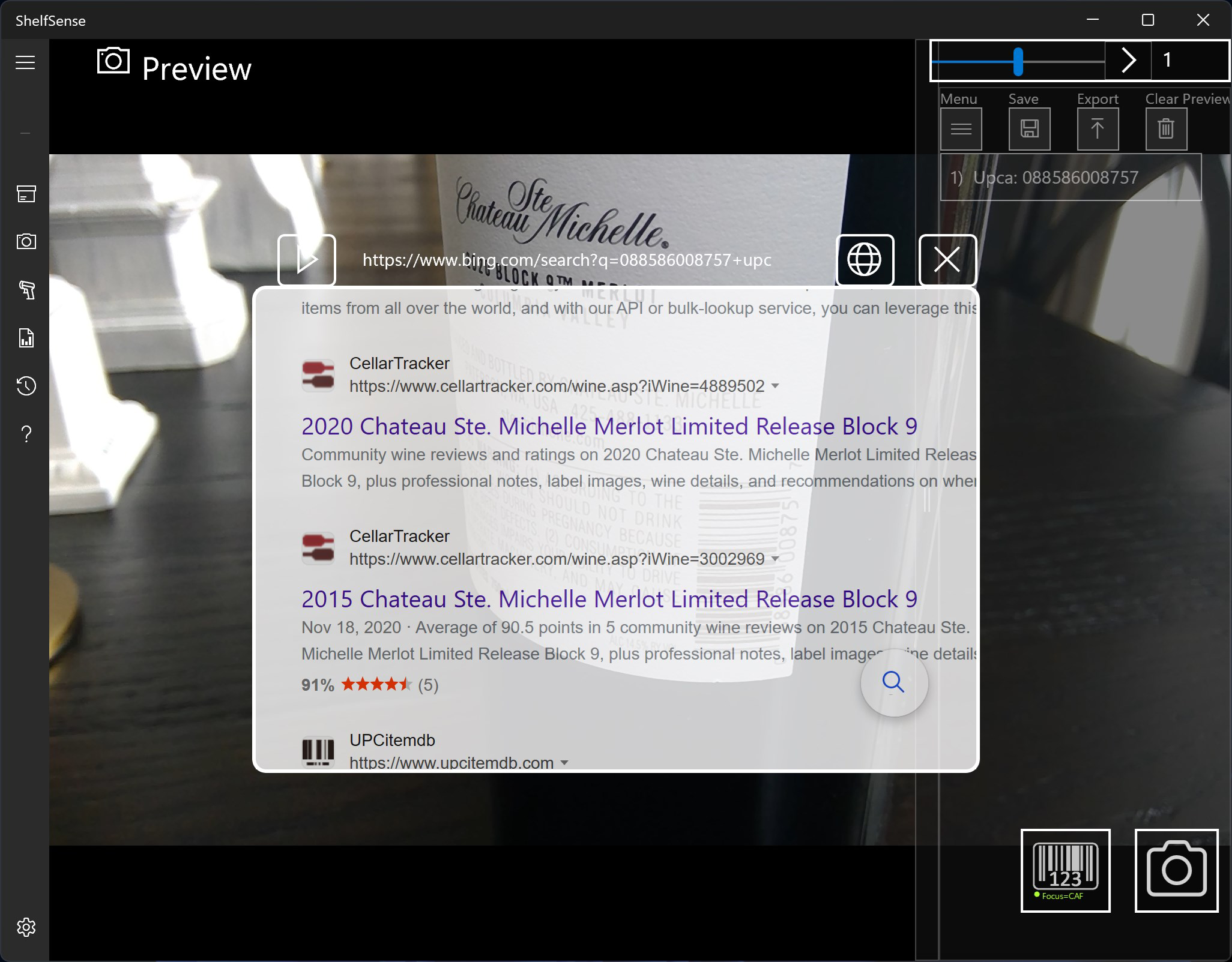
- Barcode Recognition: The app supports recognition of various barcode types, allowing users to quickly add items to their catalog without manual input. This functionality significantly reduces setup time, particularly when dealing with multiple products or standardized items.
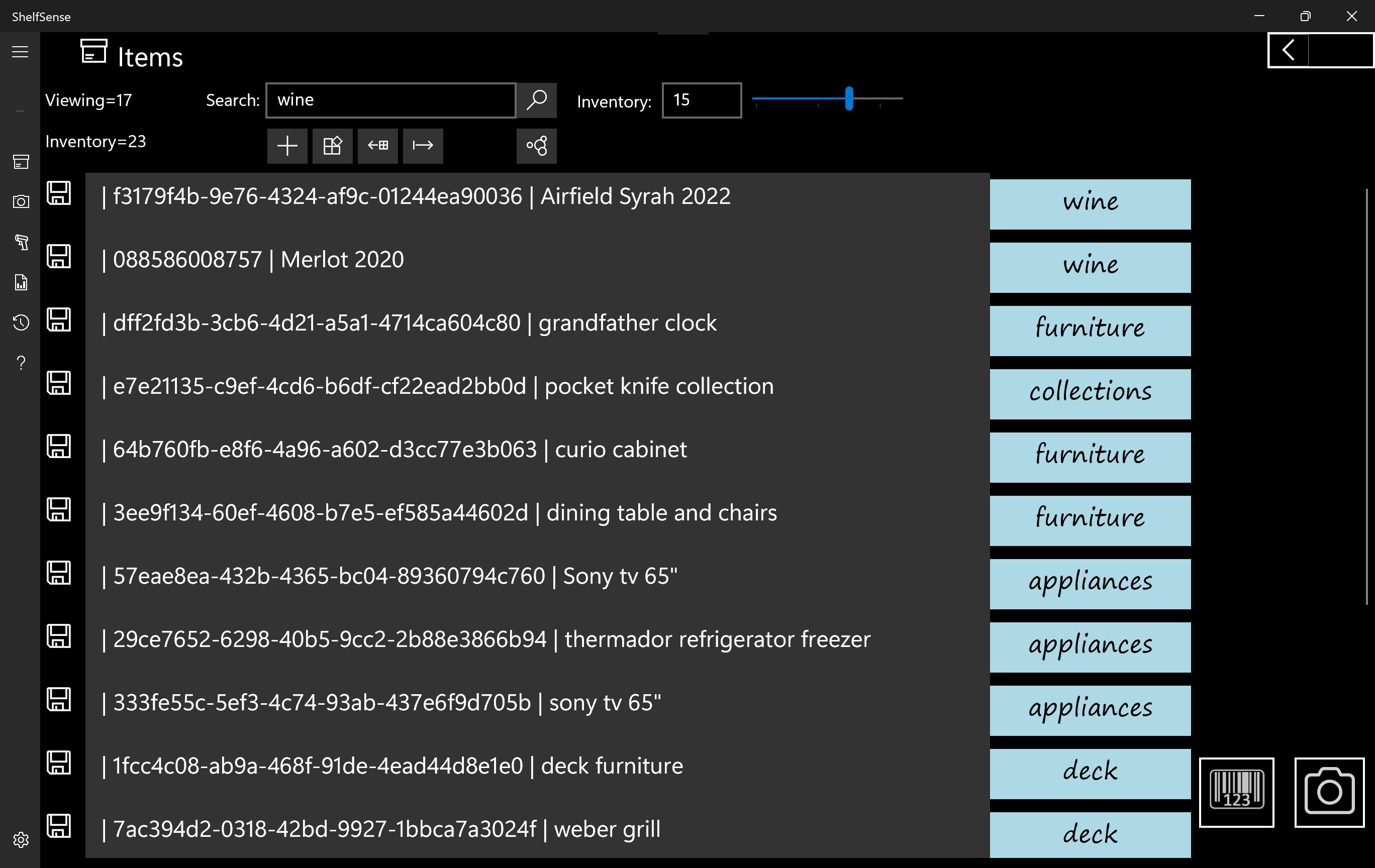
- Smart Categorization: ShelfSense automatically groups items into logical categories based on user input or predefined templates. This reduces clutter and enhances usability by organizing data in a way that mirrors real-world storage systems.
- Quick Search Functionality: A powerful search engine enables instant access to any item using keywords, categories, or metadata. This ensures that even large inventories remain navigable and efficient to manage.
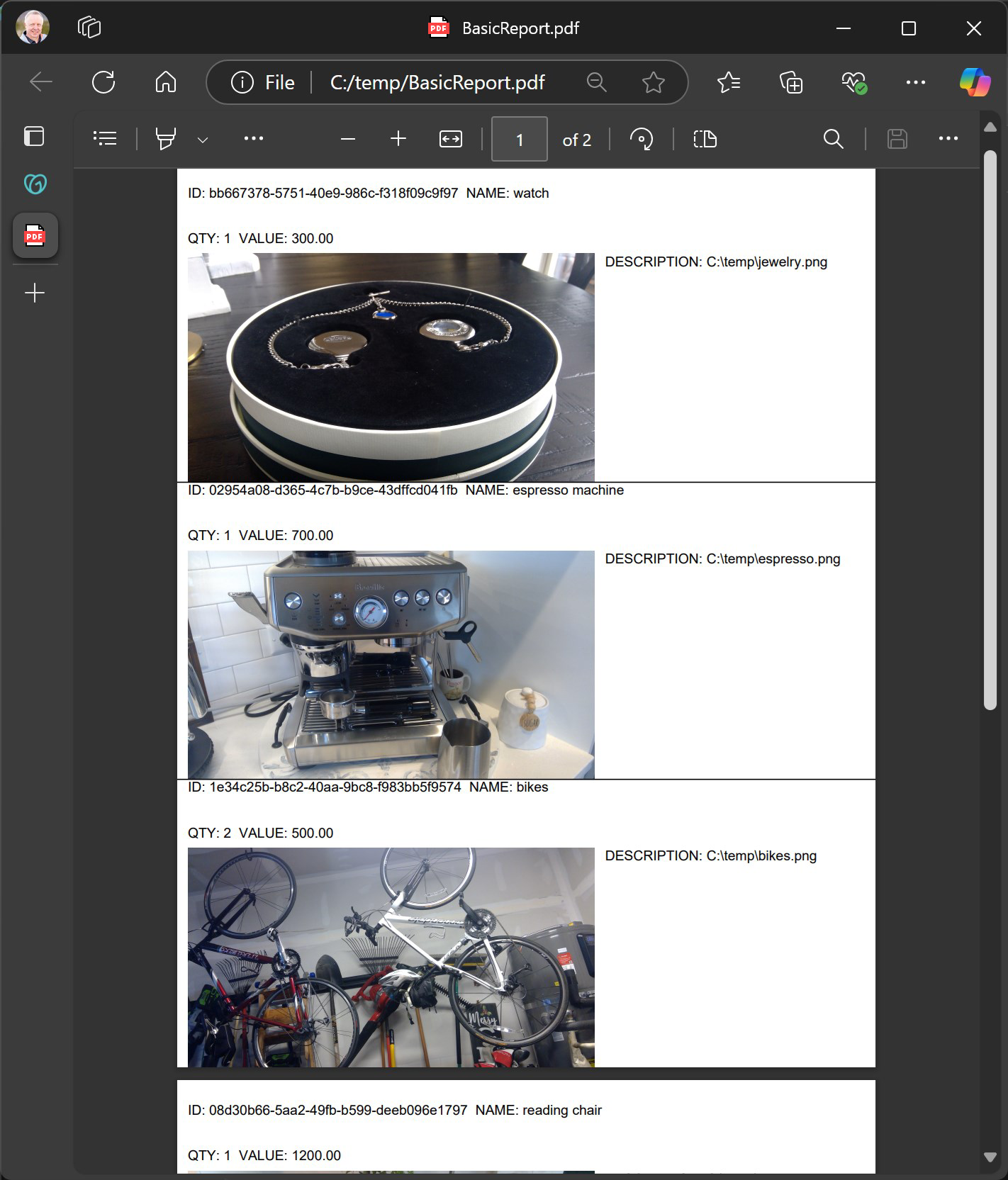
- Custom Reporting: Users can generate detailed PDF reports tailored to their needs, including item descriptions, images, locations, and dates. These reports serve as reliable records for insurance claims, audits, or personal reference.
- Data Export & Import: The app supports export to CSV format and import from external sources, ensuring flexibility in data management. This allows users to back up their inventory or integrate it with other systems.
For example, a collector can use the in-app camera and barcode scanner to document a new acquisition, which is then automatically categorized and searchable. A homeowner preparing for an insurance audit can generate a comprehensive report with just a few clicks, ensuring all assets are accounted for without the need for manual compilation.
Interface, UX & Performance
ShelfSense features a clean, intuitive interface optimized for desktop use, with a logical layout that prioritizes accessibility and ease of navigation. The visual design emphasizes clarity, using consistent spacing, readable typography, and a color scheme that minimizes eye strain during extended use. Menus and toolbars are well-organized, allowing users to access core functions—such as adding items, searching, or generating reports—with minimal clicks.
Navigation follows a linear workflow, guiding users through the process of cataloging, organizing, and retrieving items. The app responds promptly to user inputs, maintaining smooth transitions between screens. Although the developer did not list formal performance metrics, the application’s lightweight footprint of 48.5 MB suggests efficient resource usage, which contributes to stable operation across various Windows configurations.
Responsiveness is consistent across different screen sizes and resolutions, ensuring compatibility with both standard desktop monitors and high-density displays. Stability appears to be a priority, as the app maintains data integrity during routine operations. The lack of reported crashes or freezes in the initial release indicates a solid foundation. However, specific requirements for device performance or OS compatibility were not fully disclosed.
Platform Compatibility & Technical Requirements
ShelfSense is available exclusively on the Windows platform. The current version is 1.0.1, with a file size of 48.5 MB. The app is priced at $19.99, reflecting its utility as a premium productivity tool. While the developer did not specify minimum OS requirements, users are advised to ensure their system meets standard Windows compatibility standards for desktop applications.
Compatibility information was not fully disclosed, so users should verify that their device supports the latest Windows updates and has sufficient storage space. The app does not require internet connectivity for core functionality, making it suitable for offline use. However, online features such as cloud synchronization or advanced reporting may depend on connectivity, though these were not detailed in the provided information.
Pros and Cons
- Efficient barcode scanning reduces manual data entry
- High-quality in-app camera for visual documentation
- Smart categorization improves organization and accessibility
- Customizable PDF reporting for insurance and audits
- Supports data export/import via CSV for flexibility
- Lightweight size with minimal system impact
- Only available on Windows, limiting cross-platform access
- No public information on update frequency or future development
- Developer did not provide detailed system requirements
- Price point may be high for casual users
- Offline use may limit real-time collaboration features
- No mention of cloud backup or sync across devices
FAQ
Is ShelfSense available for Android or iOS?
As of now, ShelfSense is only available on the Windows platform. There is no public information about future releases for mobile operating systems.
Can I use ShelfSense without an internet connection?
Yes, the core features of ShelfSense, including item cataloging, search, and report generation, function offline. This ensures uninterrupted access to your inventory data.
How do I update ShelfSense?
Updates are typically delivered through the official distribution channel. Users should check the developer’s website or platform store for the latest version.
Is my data secure in ShelfSense?
The app does not specify cloud storage or encryption details. However, since it operates locally and supports data export, users can manage their own backups and security measures.
Can I import existing inventory data into ShelfSense?
Yes, ShelfSense supports importing data from external sources, including CSV files, allowing users to migrate existing records seamlessly.
Final Thoughts + CTA
ShelfSense stands out as a focused, well-designed solution for individuals seeking to bring order to their personal belongings. Its combination of barcode scanning, visual documentation, smart categorization, and customizable reporting delivers tangible value for users managing collections, home inventories, or asset records. While its exclusive availability on Windows and the absence of cloud sync may limit broader appeal, its performance, usability, and feature set make it a strong contender in the productivity space.
For homeowners, collectors, and professionals who prioritize documentation and organization, ShelfSense offers a reliable, efficient tool to safeguard their assets. The app’s ability to generate professional-grade reports enhances its utility beyond simple tracking. With a clear purpose, intuitive interface, and thoughtful functionality, it represents a practical investment in personal digital organization.
Download ShelfSense now
Guides & Tutorials
How to install ShelfSense
- Click the Download button above.
- Once redirected, accept the terms and click Install.
- Wait for the ShelfSense download to finish on your device.
How to use ShelfSense
This software is primarily used for its core features described above. Open the app after installation to explore its capabilities.
User Reviews
No reviews yet. Be the first to share your experience.
You may also like
more
Que no te pillen¡
About !Que no te pillen¡Reviewed by Jason A. BilbreyShow MoreShow Less

3D Combat Zone
About 3D Combat ZoneOriginally released in 1983, 3D Combat Zone immerses players...

666: El día del portal
About 666: El día del portalOn June 6, 2006, Agent P. Stone uncovers a sinister...

80 in 1 Best Flash games
About 80 in 1 Best Flash games 80 in 1 Best Flash games is a collection of 80 fl...

ABYSS SEEKERーーWhat Do You See Deep in The Abyss
About ABYSS SEEKERーーWhat Do You See Deep in The AbyssIn ABYSS SEEKER, players...

ACA NEOGEO THE KING OF FIGHTERS 2002 for Windows
About ACA NEOGEO THE KING OF FIGHTERS 2002 for WindowsTHE KING OF FIGHTERS 2002,...